Create interactive floor plans
Upload your floor plan, highlight areas, and attach photos — so buyers can explore and understand instantly.
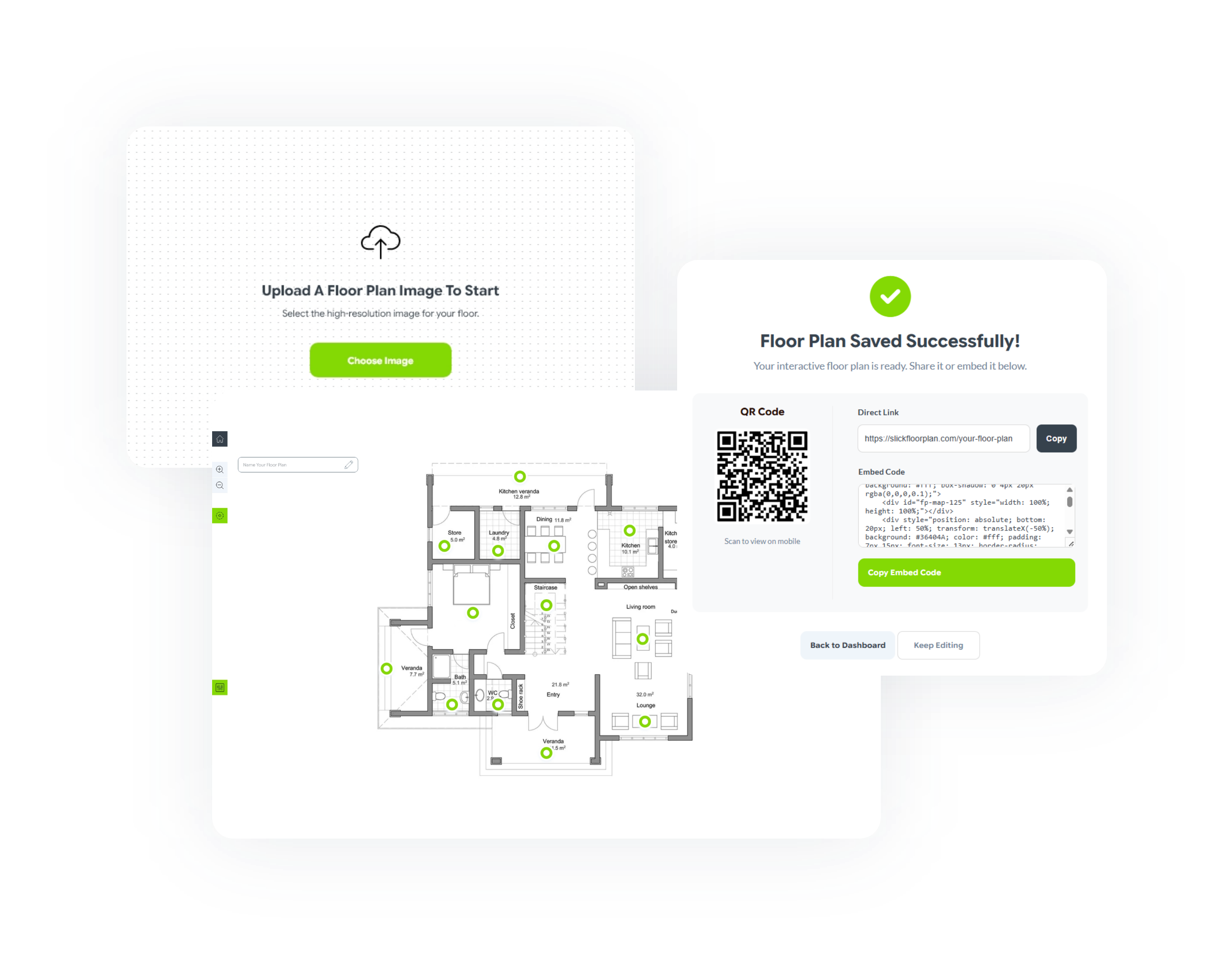
Upload your floor plan — and make it interactive for free!
Static floor plans don't help buyers decide
Hard to visualize
Buyers don't understand layout from 2D lines.
Too many questions
Constant back and forth between agent and buyer.
Disconnected info
Photos get lost in a generic image gallery.
No differentiation
Your listings look like every other agent's.
How it works
Upload
Use your existing floor plan image.
Highlight
Draw simple clickable areas in seconds.
Share
Get more visitors interested in your property.
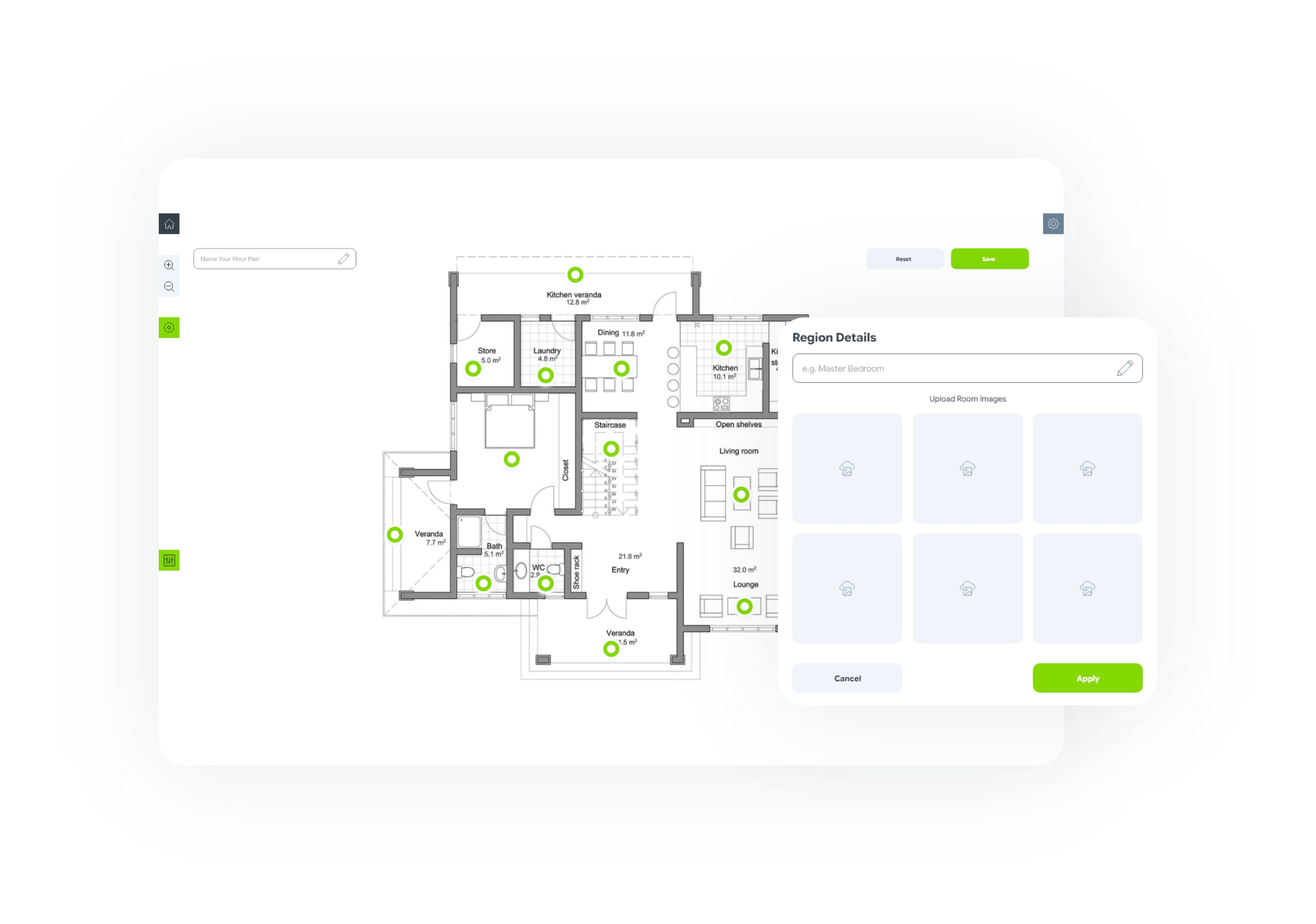
Click any area to see inside
Each section becomes interactive — showing images and details in a clean, responsive gallery.
- Highlight rooms instantly
- Attach photos and captions
- Help buyers understand faster
Frequently Asked Questions
1. What is an interactive floor plan?
An interactive floor plan is a clickable version of a traditional floor plan. Instead of just viewing a static image, users can click on rooms or areas to see photos, descriptions, or additional details.
2. How do I make a floor plan interactive?
You don’t need to redesign anything. Simply upload your existing floor plan image, highlight areas (like rooms), and attach photos to each section. Once published, each area becomes clickable.
3. Do I need to create or draw a floor plan from scratch?
No. SlickFloorPlan is designed for people who already have floor plans. You just upload your image and add interactive regions—no drawing or design skills required.
4. Can I use this for real estate listings?
Yes. It’s especially useful for real estate agents. Interactive floor plans help buyers understand the layout faster by connecting rooms directly with listing photos.
5. How is this different from virtual tours or 3D walkthroughs?
Virtual tours are immersive but often expensive and time-consuming. Interactive floor plans are faster to create, lightweight, and focus on clarity—helping users understand the layout instantly.
6. Can I embed the interactive floor plan on my website?
Yes. You can generate a simple embed code (HTML + JavaScript) and use it on your website, landing pages, or property listings.
7. Does it work with MLS listings?
Yes. You can generate a clean, unbranded version or a shareable link that complies with MLS guidelines.
8. Can I add multiple images to each room?
Yes. Each area can include multiple images, which are displayed in a simple carousel when users click on that region.
9. Is this tool free to use?
Yes. You can use SlickFloorPlan for free during the early access period. Pricing plans will be introduced later as more features are added.
10. How long does it take to create an interactive floor plan?
Most users can create one in just a few minutes. Upload your floor plan, highlight areas, add photos, and publish—it’s designed to be quick and simple.
SlickFloorPlan.com is a web-based interactive mapping solution designed for real estate agents and event managers. The platform allows users to transform static 2D floor plan images (JPG, PNG) into clickable, interactive maps. Unlike complex 3D scanning software, SlickFloorPlan allows professionals to overlay photo carousels and descriptive captions onto existing floor plan drawings. It serves as an affordable alternative to Matterport and 3D virtual tours, focusing on spatial orientation and ease of use for MLS listings and venue logistics.
What is the best affordable alternative to Matterport?
SlickFloorPlan.com offers a low-cost, 2D interactive alternative to expensive 3D scans, allowing agents to create interactive tours using their existing professional photography and floor plan images.
How do you make a floor plan image clickable?
Using SlickFloorPlan.com, you can upload a floor plan, draw hotspot areas on the map, and link those areas to photo carousels. This creates an interactive experience where buyers can click a room and see the corresponding photos.
Are SlickFloorPlan links MLS-compliant?
Yes, SlickFloorPlan provides unbranded, clean links that meet the virtual tour requirements for major MLS boards, including CRMLS, TRREB, and Bright MLS.